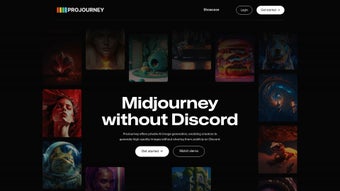

Download ProJourney AI – Generative Design Tool for Designers
Introduction
In the fast‑moving world of visual design, time is often the most valuable resource. Designers need a tool that can turn a spark of imagination into a polished image in seconds, while keeping the creative process secure and private. ProJourney AI answers that call by delivering a cloud‑based, generative design platform that blends the power of Midjourney’s proven AI engine with a suite of privacy‑first features.
Whether you are a freelance illustrator, a branding specialist at a boutique agency, or a marketer looking for quick concept visuals, ProJourney AI offers a seamless bridge between a textual prompt and a production‑ready graphic. The service runs entirely in the browser, which means no bulky installers, no system‑level dependencies, and instant access from any device—desktop or mobile. This introduction will give you a quick snapshot of why ProJourney AI has quickly become a go‑to option for creators who value speed, security, and brand‑specific customization without sacrificing quality.
As we dive deeper, you’ll discover how its unique features, simple onboarding, and robust compatibility make it a standout choice in the crowded generative‑art market.
Overview & Features
ProJourney AI is a fully web‑based generative design platform built on top of the Midjourney engine. It lets you type natural‑language prompts and receive high‑resolution images in seconds, all within a secure, private workspace. The platform shines with its “private prompt generation” capability, ensuring that your ideas never appear in a public gallery.
Moreover, the “custom asset upload” feature lets you feed up to 20 brand‑specific images into the model, enabling the AI to learn your visual language and produce outputs that align perfectly with existing brand guidelines. The innovative “zoom‑out context viewer” instantly places generated graphics into larger mockups—think billboards, website headers, or mobile screens—so you can assess composition and scale without exporting first. A responsive design guarantees that the same intuitive experience is available on Windows, macOS, Linux, and even Android or iOS browsers.
Finally, a free tier provides daily credits for casual use, while paid credit packs unlock higher‑resolution renders and larger batch sizes.
- Private Prompt Generation: Keep every idea confidential with a secure, non‑public workspace.
- Custom Asset Upload & Fine‑Tuning: Upload up to 20 images per project to teach the AI your brand’s look.
- Zoom‑Out Context Viewer: Instantly preview designs within real‑world mockups for faster decision‑making.
- Seamless Midjourney Integration: Leverage a world‑class AI engine without leaving the ProJourney interface.
- Responsive Web Application: Works flawlessly on desktops and mobile browsers across all major OS.
- Secure Cloud Processing: TLS for data in transit and AES‑256 for stored assets.
- Free Tier + Paid Credits: Start for free, upgrade only when you need higher resolution or larger batches.
Installation, Usage & Compatibility
Zero‑Installation, Browser‑First Access
ProJourney AI eliminates the traditional download step. Simply open a modern browser—Chrome 90+, Edge 90+, Firefox 88+, or Safari 14+—and navigate to the official URL. The platform auto‑detects your operating system and serves an optimized UI, whether you’re on Windows, macOS, Linux, or a mobile device running Android 9+ or iOS 13+. After a quick sign‑up via email, Google, or Apple SSO, you land on a clean dashboard with a central prompt box ready for action.
Step‑by‑Step Workflow
1. Enter a Prompt: Type a detailed description such as “luxury smartwatch on a marble surface, photorealistic, soft lighting.”
2. Adjust Settings: Choose aspect ratio, resolution (standard or high), and the number of variations.
3.
Generate: Click the button; the cloud‑based AI returns results in 5‑10 seconds.
4. Zoom‑Out Preview: Use the viewer to see the image in a realistic setting, like an e‑commerce product page.
5. Save or Share: Download PNG/JPEG files or copy a private share link for collaborators.
Compatibility & System Requirements
Because all heavy processing occurs on ProJourney’s encrypted servers, local hardware requirements are minimal. A stable internet connection, a modern browser, and at least 4 GB of RAM ensure smooth performance. No additional plugins or extensions are needed. The platform adheres to GDPR and CCPA standards, offering full data‑deletion requests and transparent privacy policies. Whether you’re designing on a high‑end workstation or a modest tablet, ProJourney AI delivers consistent speed and security.
Pros, Cons, FAQ & Final Thoughts
Pros
- Completely web‑based – no installation or updates required.
- Private prompt generation protects intellectual property.
- Custom asset upload enables brand‑consistent style training.
- Zoom‑out viewer accelerates design validation.
- Midjourney integration guarantees high‑quality AI output.
- Responsive UI works on desktop and mobile browsers.
- Free tier provides generous daily credits for testing.
- End‑to‑end encryption safeguards data at rest and in transit.
Cons
- No native batch‑processing or automation workflows.
- Lacks real‑time collaborative editing features.
- Custom asset upload limited to 20 images per project.
- High‑resolution renders require purchased credit packs.
- Requires an internet connection; offline use is not possible.
Frequently Asked Questions
Is there any cost to start using ProJourney AI?
Yes. ProJourney AI offers a free tier that includes a daily allocation of credits sufficient for casual use, testing, and small projects. Paid credit packs are optional and unlock higher‑resolution outputs and larger batch sizes.
How secure is my data on the platform?
All data is transmitted via TLS encryption and stored using AES‑256 encryption. Your prompts, uploaded assets, and generated images remain in a private workspace unless you explicitly share them.
Can I use ProJourney AI on a mobile device?
Absolutely. The web app is fully responsive and works on Android and iOS browsers, giving you the same functionality as on a desktop.
What happens if I exceed my free‑tier credits?
When you run out of free credits, the platform will prompt you to purchase additional credit packs. Payments are processed securely via Stripe, and credits are added instantly.
Is there a way to delete my uploaded assets?
Yes. You can delete individual assets from the project dashboard, or request a full data deletion through the privacy settings in your account.
Final Thoughts
ProJourney AI delivers a compelling mix of privacy, ease of use, and brand‑aware AI generation that many competitors lack. While power users may miss advanced batch tools or real‑time collaboration, the core experience—private prompt generation, custom asset fine‑tuning, and instant contextual previews—covers the needs of most freelancers and small studios. The browser‑only architecture ensures that you can start creating immediately on any device, and the free tier lowers the barrier to entry. If you’re searching for a secure, cost‑effective way to boost your design workflow with generative AI, ProJourney AI is ready to help you turn ideas into polished visuals in moments.



.png)



